colors/ macos
Lightweight macOS desktop environment: SketchyBar topbar and AeroSpace window manager, configured for productivity and visual clarity.
Preview
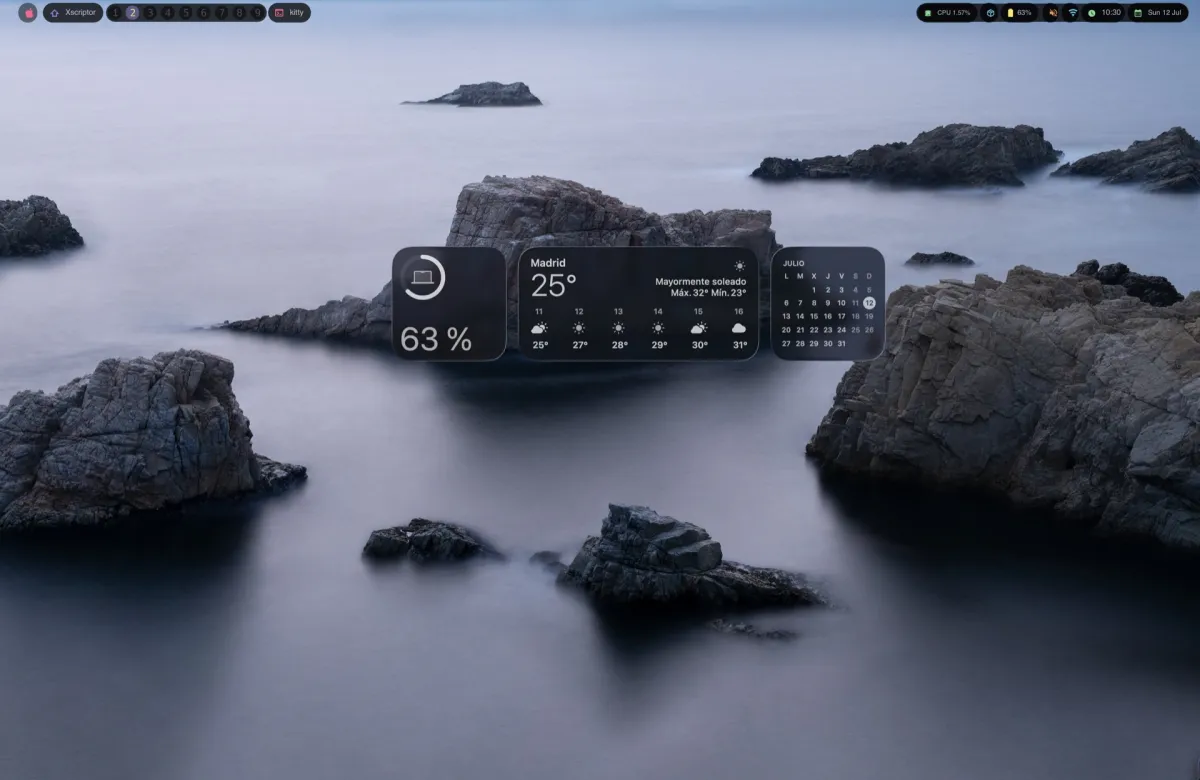
About
Two tools, one setup:
- SketchyBar — A customizable macOS topbar with workspace indicators, system stats, clock, volume, battery, and app launcher icons.
- AeroSpace — A tiling window manager with virtual desktops (workspaces), keyboard-driven navigation, and automatic window placement rules.
Structure
- sketchybar/ — SketchyBar config: bar styles, items, plugins, colors, icons, and themes.
- aerospace/ — AeroSpace config: workspace bindings, gaps, window rules, and keybindings.
- install.sh — Automated install script for dependencies and dotfiles.
- uninstall.sh — Removes configs, services, and packages.
Quick Install
git clone https://github.com/xscriptor-colors/macos.git ~/macosx-dotfiles
cd ~/macosx-dotfiles
chmod +x install.sh
./install.sh
Remote Install
Run directly from the repo without cloning:
# Install
curl -fsSL https://raw.githubusercontent.com/xscriptor-colors/macos/main/install.sh | bash

# Or with wget
wget -qO- https://raw.githubusercontent.com/xscriptor-colors/macos/main/install.sh | bash
Uninstall
curl -fsSL https://raw.githubusercontent.com/xscriptor-colors/macos/main/uninstall.sh | bashManual Install
- Install Homebrew if not already installed.
- Run brew install sketchybar aerospace.
- Install Hack Nerd Font: brew install --cask font-hack-nerd-font.
- Copy sketchybar/ to ~/.config/sketchybar/.
- Copy aerospace/aerospace.toml to ~/.config/aerospace/aerospace.toml.
- Start services: brew services start sketchybar.
- Reload AeroSpace: aerospace reload-config.
Usage
The most useful bindings, all using Ctrl as the primary modifier:
- Switch workspace: Ctrl + number (1-9)
- Move window to workspace: Ctrl + Shift + number
- Focus window: Ctrl + h/j/k/l (left/down/up/right)
- Move window: Ctrl + Shift + h/j/k/l
- Resize: Ctrl + - / Ctrl + =
- Fullscreen: Ctrl + f
- Close window: Ctrl + w
- Toggle floating: Ctrl + t
- Open apps: Ctrl + Enter (Kitty), Ctrl + v (VS Code), Ctrl + b (Brave)
- Reload AeroSpace: Ctrl + Shift + r
- Click workspace number on the topbar to switch
Customization
SketchyBar supports multiple color palettes. Themes live in sketchybar/themes/ and use the same palette names as the VS Code Xscriptor themes: X, Madrid, Lahabana, Miami, Paris, Tokio, Oslo, Helsinki, Berlin, London, Praha, and Bogota.
# List the current theme and available palettes
./sketchybar/theme.sh

# Switch to a palette and reload the bar
./sketchybar/theme.sh miami
You can also cycle themes directly from the topbar: click the palette item to switch to the next palette. The active theme is persisted in ~/.config/sketchybar/theme (default: x).